
Invite playtesters
Send a link or a QR code. Your playtesters join in their browser without installing anything.
Play together now
In the editor, select Playtest → Invite. Studio opens an online room with your current cards and shows its link. You need to be signed in and online; your playtesters only need the link.
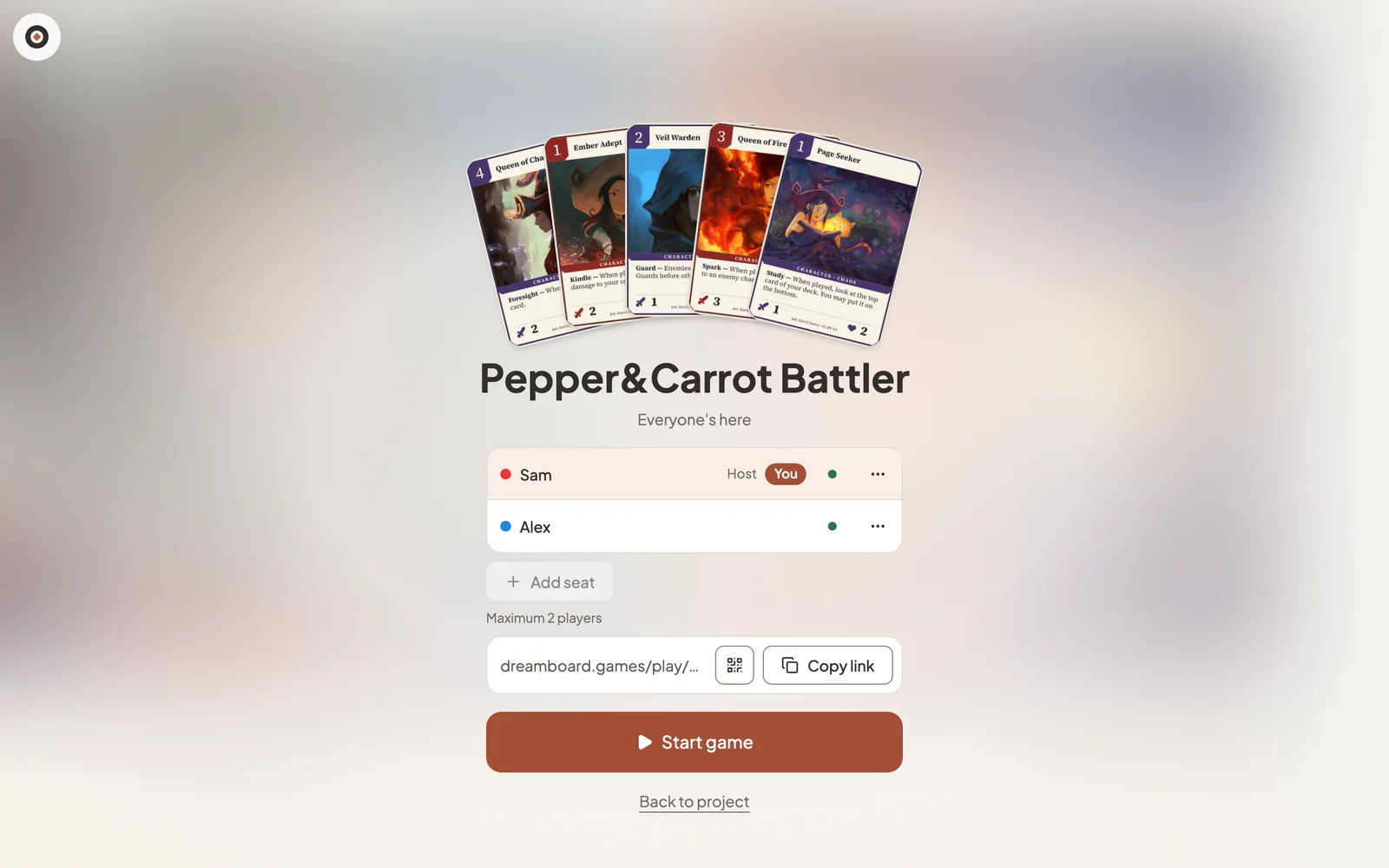
- Copy link to paste it into a chat, or show the QR code to people in the same room.
- Guests open the link in any browser, type a name and join. They don’t install anything or create an account.
- Select Start game when everyone is here. As host you can add a seat or remove a player.
Select Back to project to return to the Studio view you opened the room from.
Share a link people can use any time
For a convention table or a newsletter, create a reusable link instead. Start a playtest, select the link icon in the top corner and choose Create link.
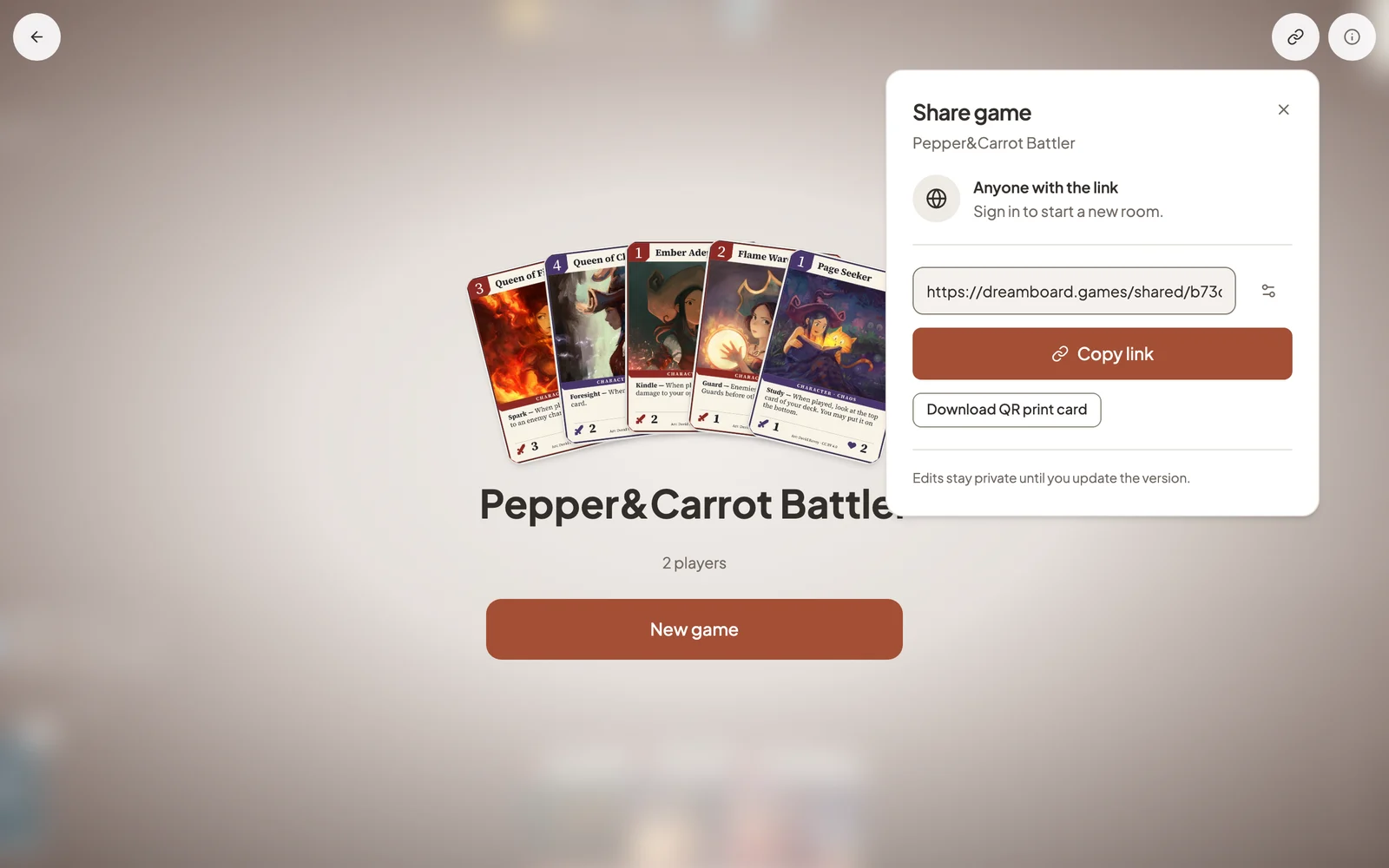
- Anyone with the link can sign in and start their own room with the version you shared.
- Download QR print card gives you a card-sized invitation to print with your prototype.
- Later edits stay private until you update the link’s version. You can turn the link off at any time; rooms already open keep going.
Still stuck?
Email support@dreamboard.games and tell us what you are trying to do.