
Create layout variants
Use a card field to select the layout each card shows.
How layout variants work
A variant gives an area of a card multiple layouts. A field value selects the layout for each card. In the Elements playing cards, Rank selects the symbol layout. A card with rank 1 shows one wave, and a card with rank 2 shows two.
Use a variant when the arrangement of elements changes. Use conditional styling for changes to fill, image or visibility.
Create a variant
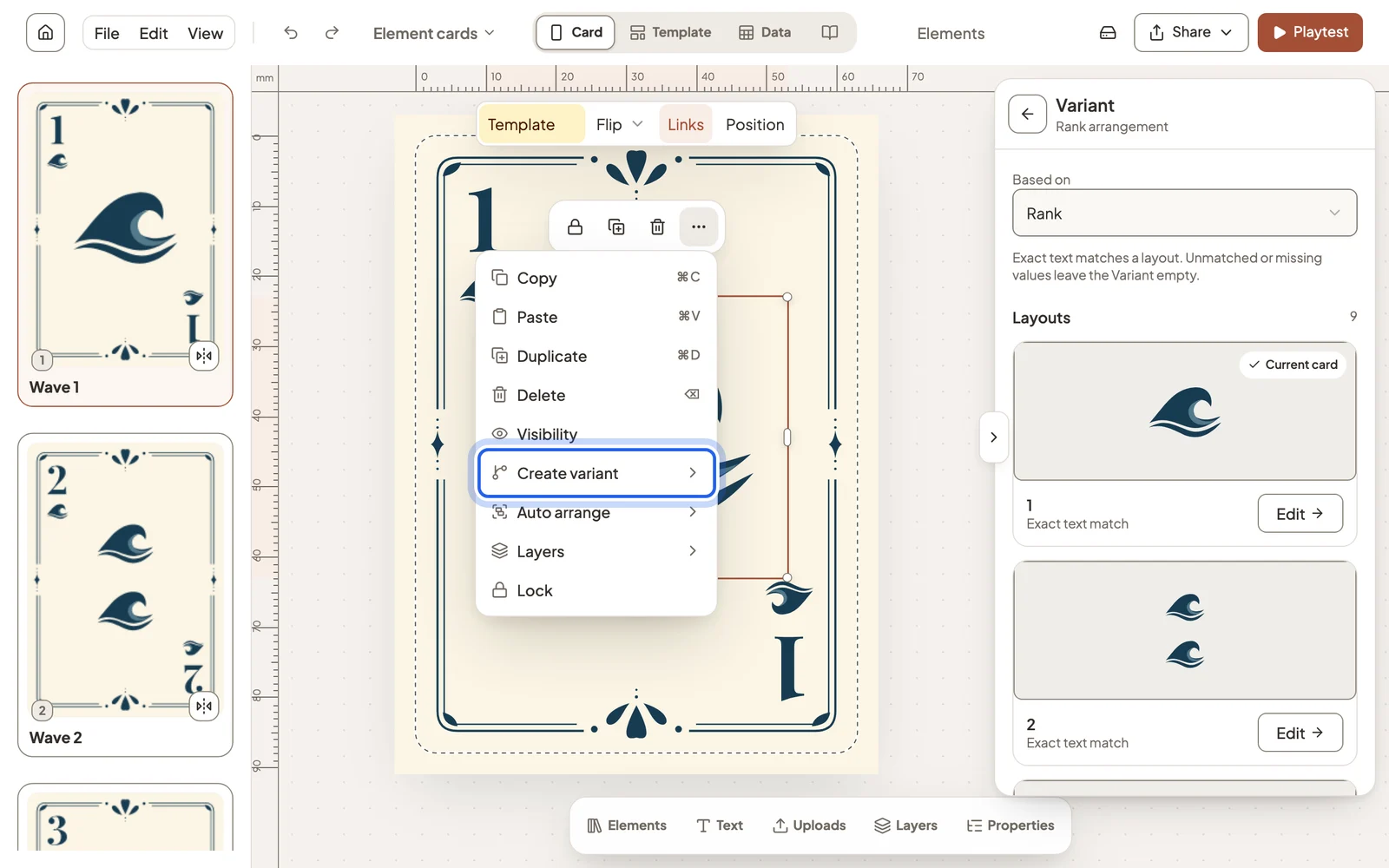
Select the elements that should change, open the ⋯ menu beside them and choose Create variant, then the field to match. The menu lists the text fields the card already displays.
Edit each layout
Select the variant and choose Links → Variant to see every layout and the value it matches. Select Edit to open a layout on the card, then Done when you finish.
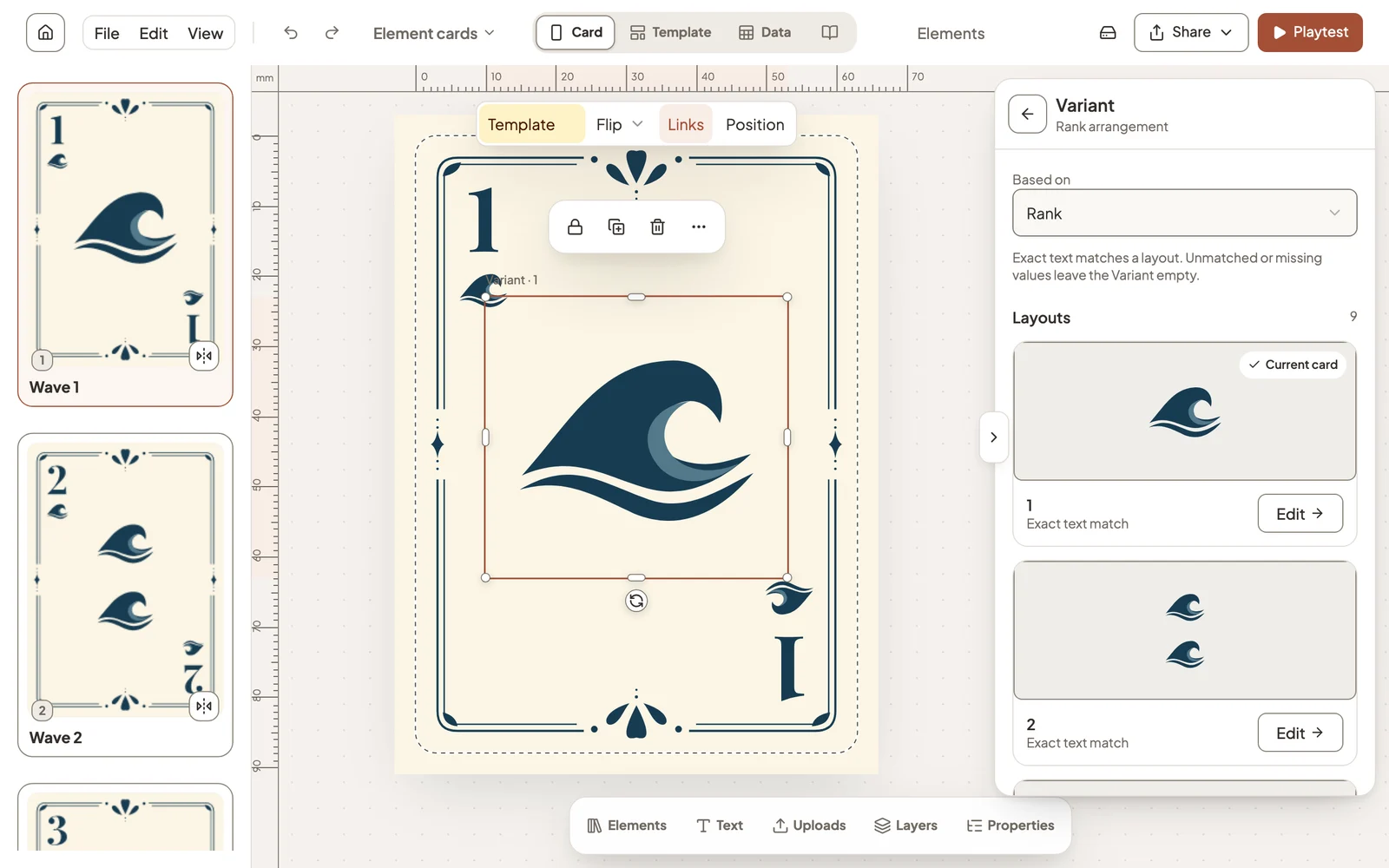
A layout is used when the field matches its value exactly. To add a layout for another value, open a card that has it, select the variant and add an element.
Still stuck?
Email support@dreamboard.games and tell us what you are trying to do.